VM Networking
Control Center -> Network -> VM Networking manages the edge services a VM
needs on the public side of its guest network - inbound Port Forwarding, Firewall
rules, public Load Balancer rules, and Remote-Access VPN - each as a tab listing every
rule of that kind across all guest networks. These services run on the guest
network’s virtual router and terminate on its source-NAT public IP.
Important
A guest network is only selectable on these tabs once it has a Source NAT public IP -
acquire a public IP for the network under IPAM (Public IPs
tab) first; the first public IP associated with an isolated network becomes its Source NAT
IP. An IP that is in use for Static NAT is not eligible, and VPC-associated IPs are
excluded here - manage a VPC’s edge services from VPCs instead.
The page restates these requirements in the collapsible VM Networking requirements
banner at the top.
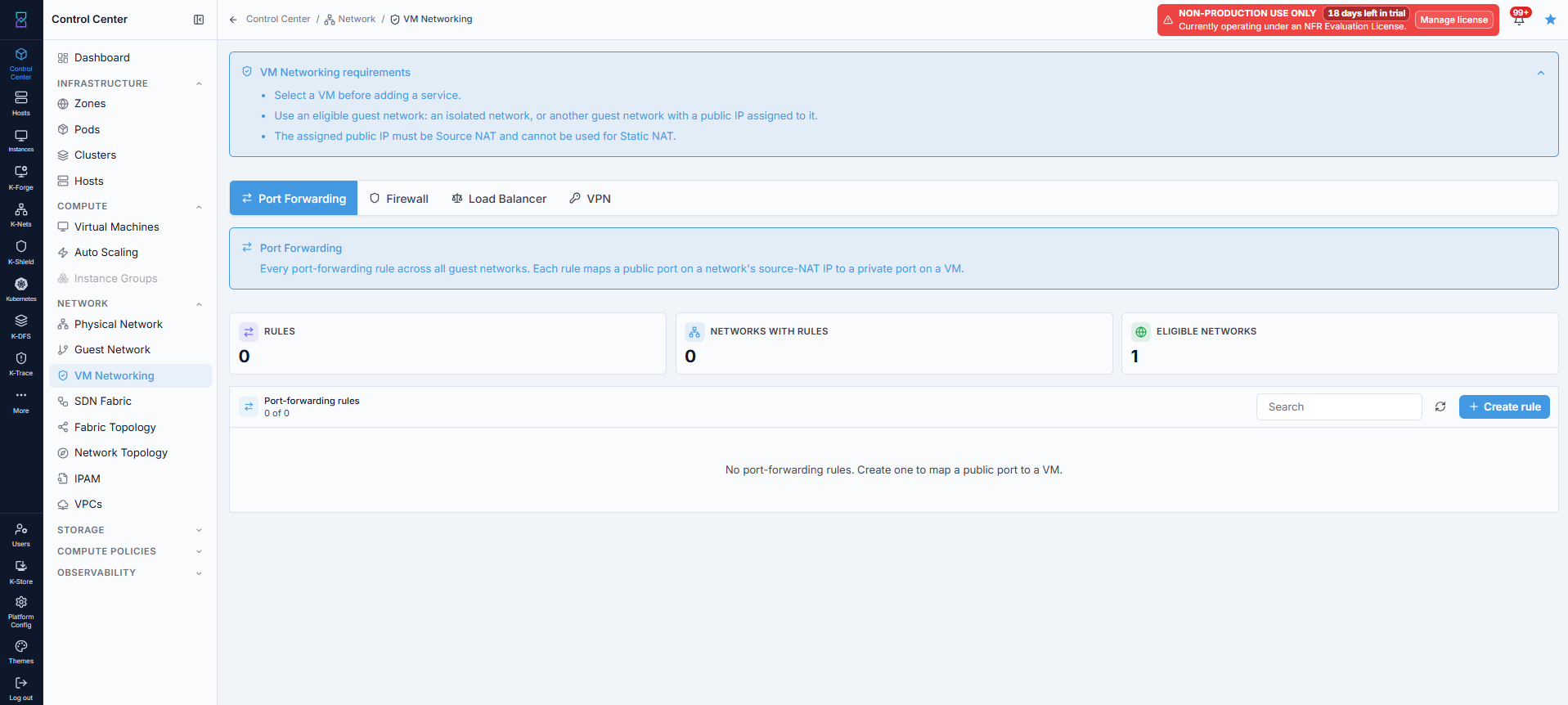
Port Forwarding: maps a public port on the source-NAT IP to a private port on a VM.
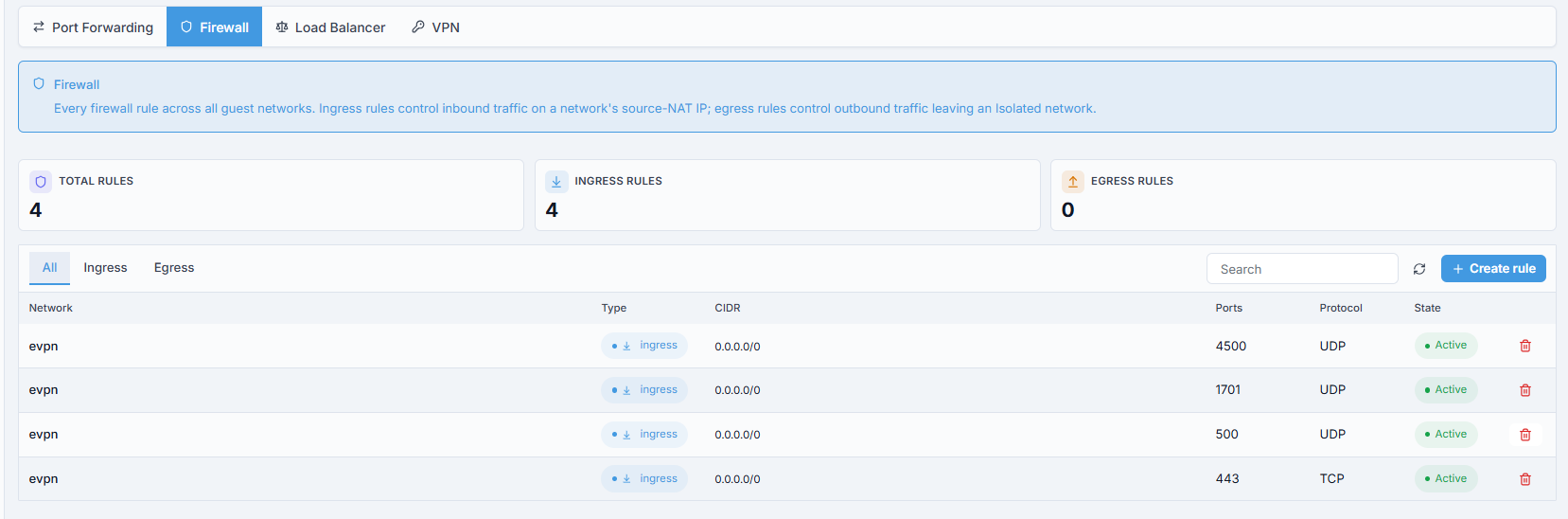
Firewall: ingress rules (inbound on the network’s Source NAT IP) and egress rules
(outbound traffic leaving an Isolated network - Shared, L2 and VPC-tier networks do
not carry egress rules).
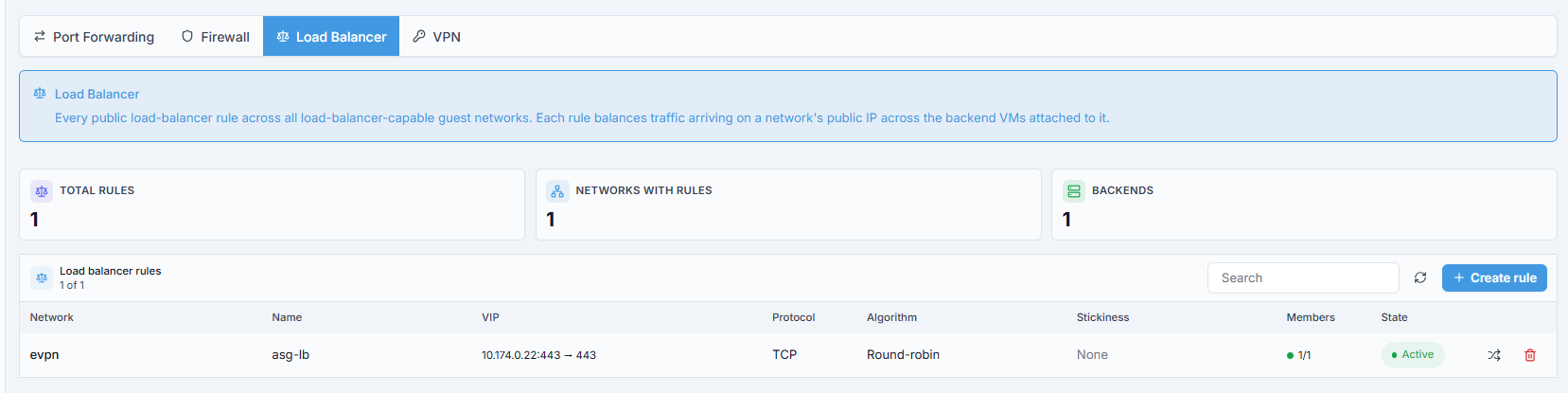
Load Balancer: balances traffic on a network’s public IP across backend VMs.
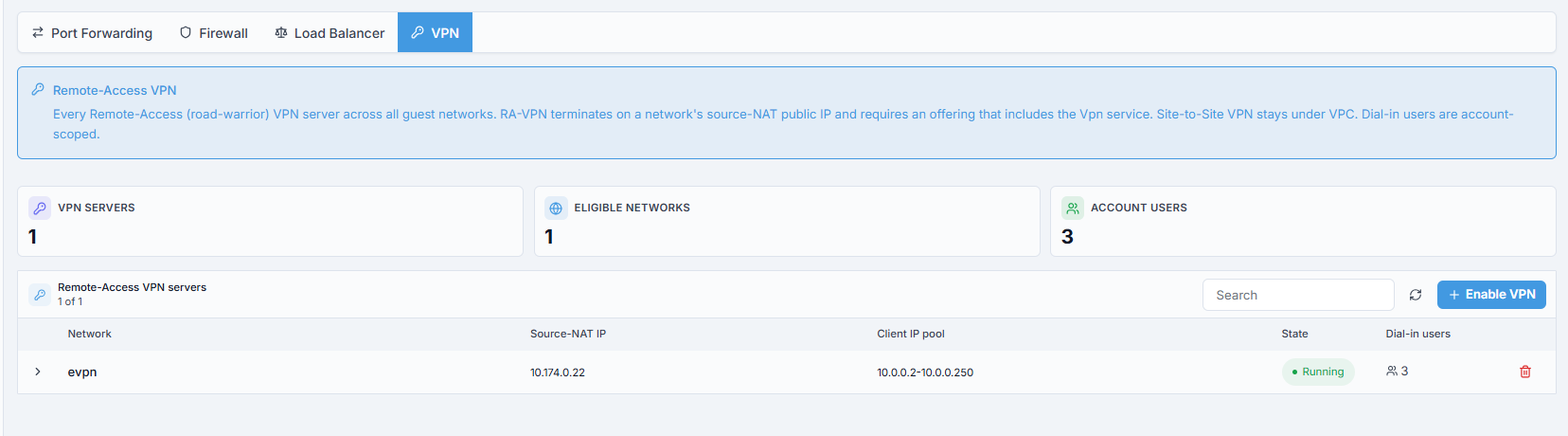
VPN: Remote-Access (road-warrior) VPN on the network’s Source NAT IP. Site-to-Site
VPN is managed under VPCs instead.
Step: Forward a Public Port to a VM
When to Use:
A service on a VM (for example web on 443) must be reachable from outside.
Steps:
Open
VM Networking -> Port Forwardingand clickCreate rule. TheCreate port-forwarding ruledialog opens.Choose the
Networkand the targetAttached VM, and setPublic port,Private port, andProtocol.Save.
Expected Outcome: The rule appears in the table, and traffic to the public IP on that port reaches the VM.
If this fails:
Network not selectable - it has no eligible Source NAT IP (none acquired yet, or the only IP is used for Static NAT, or it belongs to a VPC); acquire one under IPAM first.
Failed to load networks and public IPs- reload; if it persists, check the network service.
Note
A per-network edge-services detail page (with Static NAT, Port Forwarding, Firewall, Load Balancing, and VPN scoped to one network’s IP) exists in the product but is not yet linked from the current build. Until it is, use the cross-network tabs above, or one of these live, scoped views:
Per VM - open
Control Center -> Compute -> VMs -> [VM name]and click theNetworktab. ItsPort Forwarding,Firewall, andLoad balancingsub-tabs are scoped to that VM’s public IP. There is no Static NAT or VPN sub-tab there - use the tabs above, or the VPC’s ownStatic NAT/VPN Connectionstabs, for those.Per network - an
Isolatedguest network’s detail page carries its ownPort Forwarding,Firewall,Load Balancing,VPN, andPublic IPstabs. See Guest Networks.
Note
For a VM with a NIC attached to a VPC tier, the per-VM Firewall sub-tab is hidden:
a VPC tier gates ingress with Network ACLs instead of per-IP firewall rules. Manage those
from VPCs.
→ Next: SDN Fabric